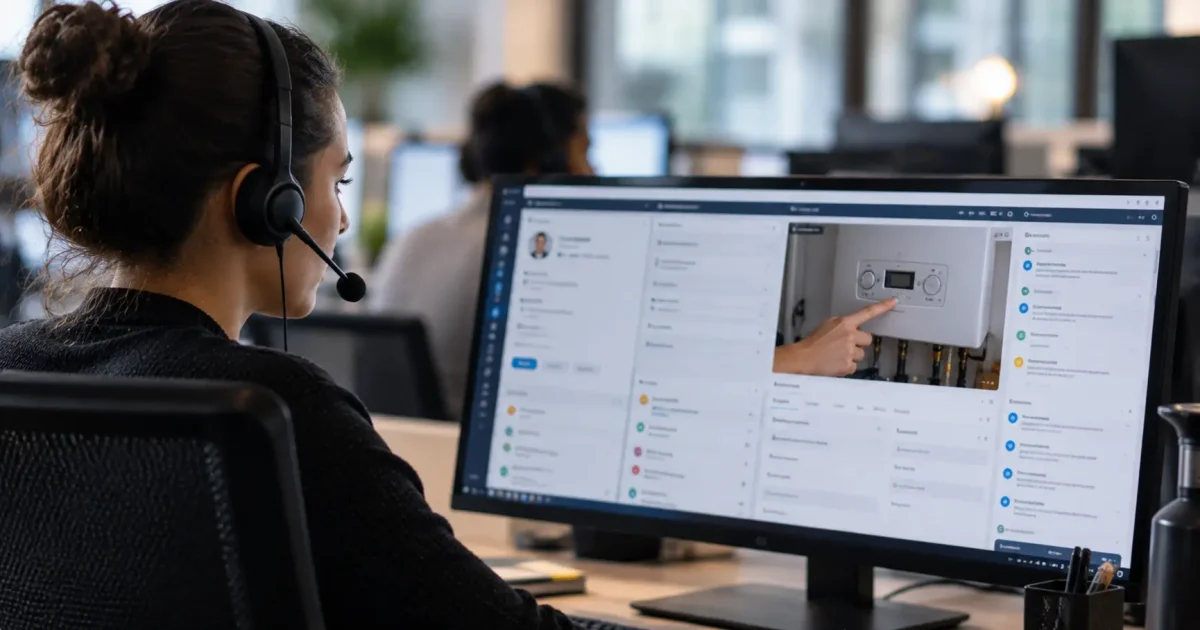

An agent can have the customer’s account and previous conversation in view and still need to ask what has changed since the last contact. Bringing records together saves searching, but understanding the current situation may take more work. That gap explains why desktop consolidation can make service easier while leaving some obstacles to resolution untouched.
A unified agent desktop can reduce the effort of working across systems. To judge the value of that improvement, examine which tasks it removes from the agent’s job and where uncertainty persists. The missing context may lie in the records or in the situation the customer is trying to explain.
What is a unified agent desktop?
A unified agent desktop is a connected contact center workspace that brings relevant customer information, interaction tools and service workflows together. It gives agents a way to work across those resources without repeatedly finding the same case or carrying its details between applications.
The underlying systems still have distinct jobs. Customer relationship management (CRM) systems hold customer and case information. Contact center interaction controls manage activities such as answering, holding and transferring a call. Knowledge resources provide troubleshooting guidance and service policies. Other applications handle transactions, orders or specialist service actions. These roles overlap in some products, but presenting them through a common workspace does not necessarily replace the systems behind them.
The distinction from an application launcher is continuity. A launcher makes tools easier to open. A connected workflow carries relevant customer and case context into the next activity, reducing the need to search again or copy an identifier.
Computer telephony integration (CTI) connects telephony with business applications. That connection can support useful call controls or customer-record presentation, but it does not by itself establish continuity through diagnosis, action and handoff.
Implementations differ in scope and integration depth. Nor does unified have to mean one literal screen. A specialist application can remain separate while participating in a coherent workflow. The useful question is what the agent has to reconstruct when moving between activities.
Which work does bringing the tools together remove?
Bringing tools together can remove the work of repeatedly locating information and moving it by hand. Those are worthwhile improvements even when the agent still needs judgment, specialist help or approval to finish the case.
Consider a hypothetical product-support request following an earlier contact. The advisor needs to associate the customer with the product, review previous troubleshooting, consult the relevant guidance and choose the next service action.
In a disconnected workflow, the advisor searches the CRM, copies a product identifier into another application and opens an earlier conversation to find out what was attempted. They then search the knowledge base and carry their findings into a service request. Each move requires attention: selecting the correct record, checking the copied identifier and remembering why the next tool was opened. Fragmented history can also lead the advisor to ask the customer for information already supplied.
A connected workspace could open the associated product and earlier case within the interaction, keep the relevant reference available and carry established details into the service request. That removes specific searches and duplicate entry. It also removes opportunities to copy the wrong reference or omit a finding during transcription.
These changes reduce navigation effort. Reconstruction is the work of turning separate records into a reliable account of the case. A desktop can reduce one burden without reducing the other; counting open applications will not reveal the difference.
Visible together does not always mean understood together
A customer record, previous conversation and product status can appear together while still requiring the advisor to establish whether they describe the same customer, issue and current state. Three dependencies determine how much of that work remains.
First, record association must be dependable. In the product-support task, a customer may have several products or previous cases. Opening the account is only the start: the advisor needs the correct product and the relevant earlier issue. Investigate how the workspace establishes those relationships and how it handles ambiguous matches. A likely customer-record match is also separate from authenticating the person seeking service. Easier access must preserve verification and access boundaries.
Second, visible information needs an understandable source and time. Suppose the earlier conversation records a troubleshooting step, while another panel shows a product status. The advisor needs to know whether that status predates or follows the attempted fix. A timestamp helps establish sequence, but it does not make an old record current. Investigate when information refreshes, what happens when a source is unavailable and whether agents can distinguish a current lookup from a stored result.
Third, guidance must fit the case. A searchable troubleshooting article is useful only if it applies to the product version, reported issue and service entitlement. Otherwise, the advisor still has to translate broad guidance into a permissible path, or check with someone else before proceeding.
These are different problems with different remedies. Uncertain product associations call for better record relationships. Conflicting status information needs data ownership and freshness rules. Unsuitable guidance needs knowledge maintenance. A desktop can make each problem easier to see without being the place where it is fixed.
Can the agent advance the case or pass it on intact?
Understanding the case does not establish that the advisor can perform the next step. The workspace needs to make the permitted path clear, including when another team must act.
For the product-support request, that might mean arranging further service or referring an exception for approval. Examine what happens after the advisor selects the action. Does their role permit it? Are required details already available? Does the workflow confirm acceptance, or does the advisor have to open another system to discover whether anything happened?
Confirmation matters because the advisor must explain the next step accurately. An apparent success in the workspace is insufficient if the underlying service record has not accepted the request. The working experience should distinguish a completed action from one that is pending or has failed, with a clear recovery route.
A necessary escalation is not a failure of unification. Giving every advisor every authority would create other risks. The better test is whether the receiving team gets the issue, relevant findings, attempted steps and unresolved question alongside the case reference.
In the hypothetical request, transferring a case number alone leaves the next advisor to reread the conversation and reconstruct the investigation. Passing forward a concise account of what was tested and why escalation is needed preserves the work already done. The customer should not have to supply that continuity.
Where visual context adds something another record cannot
Some uncertainty concerns information the organization has not retrieved. Other uncertainty concerns something its records do not describe: the condition of the product or the error the customer sees now. Deeper consolidation addresses the first problem, but not necessarily the second.
Return to the product-support request. The advisor has identified the correct product, reviewed previous troubleshooting and found the applicable guidance. If the next step depends on a current display message or visible connection, another account lookup adds little. Relevant visual context can help establish which diagnostic path fits the present situation.
The method should match the question. A still image captures a detail at one moment and can suit a visible label or condition. A live camera view lets the advisor examine a changing physical situation or ask to see another angle. A shared screen exposes a digital state, such as an error message and the fields around it. These methods reveal different information and require different participation and data-handling arrangements.
Grypp provides an enterprise visual layer for human-assisted service alongside existing contact center, CRM and digital systems, bringing relevant real-time visual context into the interaction. Visual support belongs at this information gap, rather than becoming a compulsory step in every workflow.
For a routine status inquiry answered by a reliable record, adding a visual interaction creates extra effort without resolving a useful uncertainty. Seeing a product also does not repair stale entitlement data or grant approval authority.
Customers need to understand what they are being asked to share and have a choice about participating. Advisors should avoid unnecessary exposure of sensitive information, with appropriate access and retention arrangements for anything captured. An accessible nonvisual route must remain available when visual participation is unsuitable or declined.
Evaluate the journey, not the polished desktop
A polished demonstration shows where information appears. Observing representative service journeys shows what agents still have to do with it. Include an ordinary request and an exception or transfer, because the latter exposes gaps that a straightforward case can conceal.
For the product-support task, follow the points where the advisor previously searched for records, copied identifiers, interpreted earlier troubleshooting and prepared a handoff. Notice whether those activities disappear, become easier or move elsewhere. An automatically populated request saves little if another team must later correct its product association.
Look for rekeying, repeated questions and reopening applications. Then establish why they happen. Opening a specialist diagnostic tool can be appropriate; opening the CRM again because the workspace hides the latest case note is a different issue. Likewise, checking a timestamp can be sound judgment. Searching several records to determine which timestamp is authoritative reveals unresolved reconciliation work.
Pair these observations with a small set of outcomes: resolution under a consistent local definition, repeat contact for the same issue within a stated window, service errors and handling effort. Include after-contact work and any effort displaced to the receiving team. Speed alone can reward a short transfer that leaves someone else to rebuild the case.
Compare similar case types before and after a change. Account for training, staffing, policy and other operating changes before attributing a result to the desktop. A reduction in navigation effort is credible when observers can identify the searches and duplicate entries that disappeared. Broader outcome claims need evidence that those changes improved the service journey rather than merely shortening one stage.
Let the remaining work determine the next investment
The remaining burden points to the owner of the next improvement. Repeated searches belong with workspace design. Uncertain record relationships and conflicting statuses need data stewardship. Guidance that does not fit the product needs knowledge maintenance. An unavailable service action requires a permissions or process decision, while a handoff that loses findings needs better workflow coordination.
Missing customer-side evidence is a separate problem. It calls for a way to understand the present situation when that evidence changes the next action, rather than another panel displaying the same historical records.
Assign ownership to the specific work agents still perform, then fund the change that removes it. That may be a workspace improvement, a repaired underlying dependency or selective visual assistance. The investment should follow the source of the effort, even when that source sits outside the desktop team’s remit.