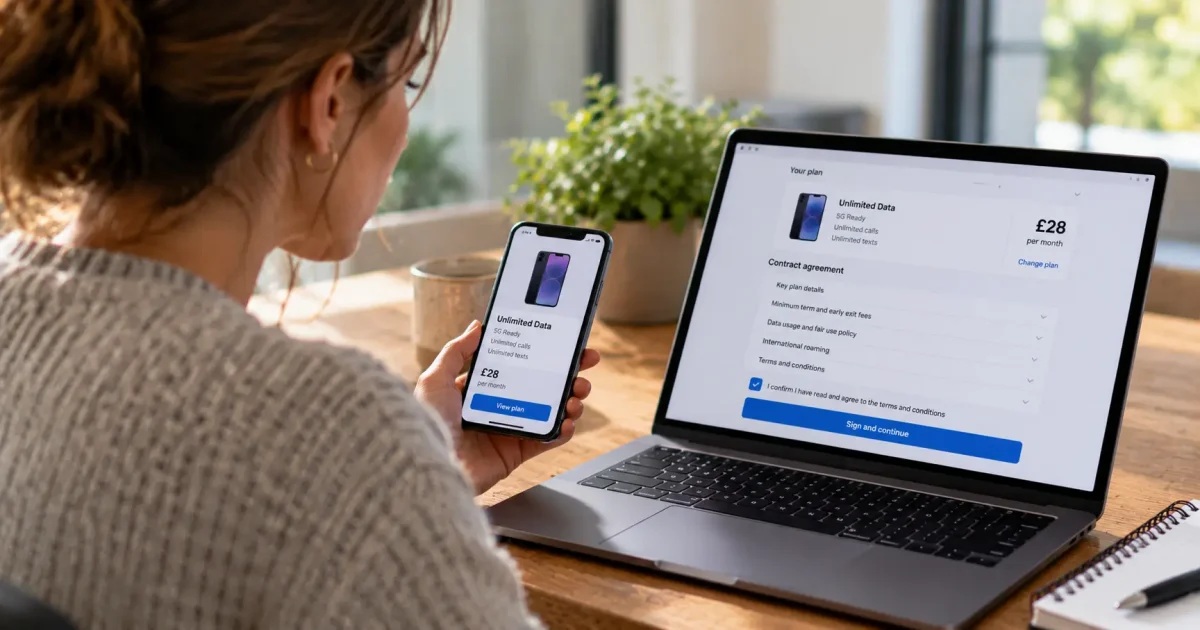

A customer may stop at the signing page because the monthly amount looks wrong. Sending a reminder will not tell you whether the price needs explaining or the order needs correcting. If the customer already clicked submit but saw no confirmation, that reminder could prompt an unnecessary second submission.
To reduce telecom contract-signing drop-off, locate the unfinished step and resolve the obstacle behind it. Some attempts need a clearer explanation or an order correction. Others need a repaired signing interaction or a check on submission status. Each requires different evidence and a different response.
The objective is a valid submission from a customer who understands the agreement and chooses to proceed. An informed decision to pause or decline is different from a failed signing journey.
Find the failed transition before assigning a cause
Count contract-signing drop-off as an eligible attempt that enters contract review or signing but does not reach provider-confirmed receipt and pass applicable validation within a stated observation window. Earlier checkout exits and later cancellations belong in separate reporting.
Choose an observation window that allows for legitimate returns. Until that window closes, an unfinished attempt is still open rather than a settled loss. Record later completions separately so a returning customer does not remain permanently classified as abandoned. Technical failures stay within the signing population: they are possible explanations for noncompletion, not records to remove from the denominator.
For an individual attempt, reconstruct the sequence:
- Which agreement version was displayed?
- Which review steps did the customer reach?
- Was required verification attempted and what response followed?
- Was acceptance submitted?
- Did the provider receive it and what validation status followed?
Join those events to the selected offer and order using appropriate attempt, agreement and submission identifiers. Add error codes, support reasons and the customer’s own description without collecting sensitive form contents or authentication secrets in diagnostic logs. A document-open event shows that a document opened. It does not establish that the customer understood its terms.
Look for the missing transition. A customer who never reached an acceptance control needs a different investigation from someone whose submission timed out after reaching the provider. Segment by device, browser, agreement version or journey type when that helps isolate a reproducible fault. A long pause alone does not tell you why someone stopped.
Separate a charge explanation from an order correction
“Why is this amount higher?” is a useful starting question, but it is not a diagnosis. The amount might be the recurring charge after a promotional period, a separate device payment or an incorrectly applied offer. The advisor needs to reconcile three things: the selected offer, the current order and the agreement presented for acceptance.
If those records agree, the task may be to explain the commitment clearly. If they disagree, explanation cannot repair the order. Pause signing, investigate the discrepancy and present the corrected agreement for review before asking the customer to proceed.
For other obstacles, use the evidence to choose the remedy and identify who needs to act:
| Customer obstacle | Evidence that changes the next action | Remedy and owner |
| Recurring charge, promotional period or minimum term is unclear | Applicable offer terms, order details and matching agreement wording | Advisor explains the verified commitment. Content or commercial teams improve the unclear presentation. |
| Signing summary differs from the selected offer | Offer identifier, eligibility decision, order record and agreement version | Order operations or the responsible commercial team investigates and corrects the mismatch. |
| Document or acceptance control cannot be used | Affected device, relevant page detail and accessibility testing | Digital or accessibility team repairs the interaction. Service provides an accessible alternative. |
| Verification or signature step fails | Exact error, attempt identifier, timestamp and platform response | Verification or signing-platform owner resolves the specific failure and provides an appropriate retry route. |
| Customer wants time to decide | Customer’s stated question and whether any submission already exists | Advisor supports a pause and explains how to return, without treating hesitation as permission to pursue acceptance. |
Prevention should follow the diagnosis. Put promotional duration beside the relevant price, distinguish recurring charges from one-time fees and make validation messages identify what needs changing. Repair controls that cannot be reached or operated. Repeated advisor explanations are evidence to investigate the journey, not a permanent substitute for fixing it.
Keep the customer’s question intact through assistance
Offer human help when a customer has an unresolved question or cannot use the signing route. Give the advisor the selected plan, current agreement version, signing step and reported error before asking the customer to reconstruct the purchase journey.
Consider a hypothetical mobile-contract attempt: a customer selected a promotional plan but stops because the amount above the acceptance button is higher than expected. The immediate task is to identify what that amount represents, then check whether it belongs in this agreement.
With the customer’s permission, co-browsing can help an advisor locate the amount and its surrounding label on the signing page. In this example, the label describes the monthly charge after the promotion, rather than the amount due today. That detail narrows the investigation. If the customer has already identified the exact wording, viewing the page may add little.
The advisor checks the selected offer and order records against the agreement version. In this example, they match, so the remaining question is when the promotional price ends. A mismatch would instead send the attempt to order correction.
Move to the wording only when it answers the question
Review the relevant agreement wording with the customer when the signing-page summary leaves the commitment unclear. Here, the advisor points to the promotional period and subsequent recurring charge, then explains them in plain language consistent with the verified records. The move from page to document serves a specific purpose: answering when the price changes.
Carry that question forward if another advisor or channel becomes involved. Use supported assistance methods and an approved note or recap when context does not transfer: the customer queried the post-promotion monthly charge, the offer and agreement matched and the promotional period was explained. The customer should not have to restart the explanation because the interaction moved elsewhere.
Return control to the customer for acceptance
Once the question is answered, let the customer decide whether to proceed. If they choose to continue, help them return to the appropriate signing step and leave the acceptance action to them. If the commitment does not suit them, support a pause or decline.
Limit viewing to relevant information, keep sensitive fields and authentication secrets private and provide an accessible alternative when the original route cannot be used. Useful assistance preserves both the customer’s understanding and their valid progress.
Recover progress without creating a duplicate submission
Before sending a customer back to sign, check whether there is already a submission. “I clicked it and nothing happened” is a status question first, not an instruction to retry.
Give advisors a reliable way to distinguish these states using the provider’s authoritative signing or order records:
| State | Appropriate next action |
| No receipt found | Check the attempt and any processing delay before offering a retry through the approved route. |
| Received, validation pending | Explain that receipt is established but completion is pending. Give the customer a reference and a clear update route. |
| Received, rejected | Identify the specific validation failure and what must be corrected. Preserve valid progress where supported. |
| Confirmed valid | Provide accessible confirmation of receipt and validation, plus the next step. Do not request another acceptance. |
Keep pending and rejected submissions visible to the responsible team until the next action is complete. A signature mark or an advisor ending the call is insufficient evidence of valid receipt. Equally, a valid signing submission does not necessarily mean service is active. Confirmation should distinguish the completed signing task from any remaining order, activation or number-transfer steps.
For genuinely unfinished attempts, assess whether the recovery route provides secure return access, appropriate identity checks, retained valid entries and a clear path to the unfinished step. Explain any expiry or information the customer must provide again. Avoid sending customers through the entire purchase process when only one field or acceptance step remains.
Check the agreement version before restoring progress. If the offer or terms have changed, show the current agreement and make the change clear. Do not silently resume acceptance against an outdated version or carry an earlier acceptance forward to changed terms.
Recovery messages should reflect the known state. An unfinished review needs a return route. A pending submission needs a status update. An unresolved order discrepancy needs an owner and a correction. One generic “finish your contract” message cannot safely serve all three.
Measure valid completion, then test what caused the improvement
Prioritize verified blockers by affected volume, customer impact and fix effort. Give each one a named owner. A broken mobile acceptance control belongs with the digital team or platform owner. A recurring mismatch between promotional offers and agreements needs commercial and order-system investigation. Better advisor scripts will not fix either defect.
Use a completion measure tied to the provider’s outcome:
Valid signing completion rate = unique eligible signing attempts with provider-confirmed receipt and applicable validation passed within the stated window ÷ unique eligible attempts entering contract review or signing in the same cohort.
Document eligibility and counting rules before comparing results. Deduplicate retries within the same attempt, recognize returning customers and specify when a changed offer or agreement creates a new attempt. Only compare cohorts that have had the full completion window. Keep technical failures visible in both the outcome and diagnostic reporting.
Track assisted valid submissions separately, using eligible assisted attempts as the denominator. That shows what happened among customers who received help. It does not establish how many completions the assistance caused, because customers who seek help may differ from those who do not.
Where practical, test a clearer price presentation, recovery route or offer of assistance against a comparable control. Otherwise, use a carefully matched pilot and account for differences in traffic, offers and journey type. Alongside valid completion, track order accuracy, downstream rejections, duplicate submissions, time to completion and related repeat contacts. Complaints and early cancellations can help reveal whether apparent progress is coming at the expense of understanding.
The best next improvement is the one tied to a demonstrated failure. Follow one unresolved question from the signing page through the provider’s records, fix the transition that failed and check whether more customers reach valid completion without extra effort or pressure. Over time, successful recovery should expose which questions and faults the unassisted journey needs to eliminate.